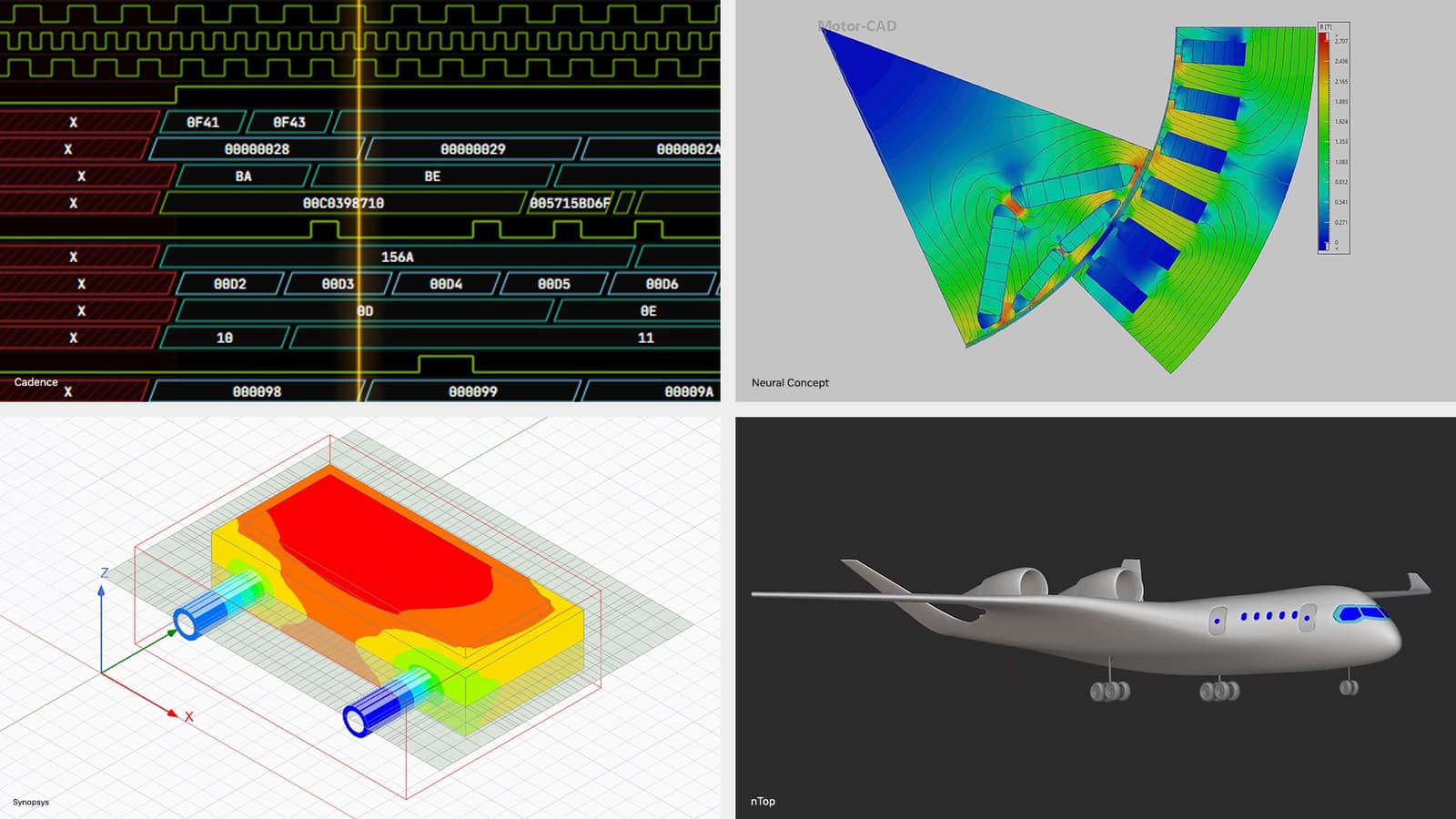
Problem: Fragmented, Insecure Simulation Workflows
Industrial engineers can now run high‑fidelity simulations in hours thanks to accelerated computing, but the surrounding workflow remains a bottleneck. Teams must manually stitch together computer‑aided design (CAD), meshing, simulation setup, debugging, post‑processing, and report generation. The hand‑off points are prone to human error, security gaps, and wasted time.
According to the NVIDIA Newsroom article on June 2, 2026, the remaining challenges sit in the end‑to‑end workflow surrounding the simulations. Without a unified, secure, and autonomous assistant, engineers spend days cleaning up data, fixing script failures, and formatting results for stakeholders.
Prerequisites
- Hardware: Access to an NVIDIA GPU platform that supports the NemoClaw SDK (e.g., RTX 6000 Ada or an NVIDIA DGX workstation).
- Software:
- Latest NemoClaw SDK (downloaded from the NVIDIA developer portal).
- Supported CAD and meshing tools (e.g., Siemens NX, ANSYS Mesh).
- Simulation engine compatible with NemoClaw (e.g., ANSYS Fluent, SimScale).
- Security Foundations:
- Secure runtime environment (NVIDIA CUDA Secure Compute).
- Enterprise identity provider for role‑based access control.
- Skillset: Basic familiarity with Python, containerization (Docker), and CI/CD pipelines.
Step‑by‑Step Workflow
1. Install the NemoClaw SDK
Download the SDK from NVIDIA’s developer site and follow the installer prompts. The installer validates GPU drivers and sets up the nemoclaw command‑line tool. Verify the installation with nemoclaw --version.
2. Create a Secure Execution Container
Use Docker to encapsulate the AI engineer. Start from NVIDIA’s CUDA base image, then add the NemoClaw runtime:
FROM nvidia/cuda:12.4-runtime-ubuntu22.04
RUN apt-get update && apt-get install -y python3-pip
RUN pip3 install nemoclaw
Enable CUDA Secure Compute flags when launching the container:
docker run --gpus all \
  --security-opt seccomp=unconfined \
  -e NVIDIA_SECURE_COMPUTE=1 \
  -v /data:/workspace \
  my-nemoclaw-agent
3. Define the AI Engineer Agent
Within the container, create a Python script that describes the agent’s responsibilities. NemoClaw uses a declarative JSON manifest to bind tools to the agent. Example agent_manifest.json:
{
  "name": "SimFlowAgent",
  "capabilities": ["cad_import", "mesh_generate", "sim_setup", "debug", "postprocess", "report"],
  "security": {"sandbox": true, "network": false},
  "model": "nemoclaw‑v1.2"
}
Launch the agent with:
nemoclaw launch --manifest agent_manifest.json
4. Hook the Agent into the CAD Pipeline
Export the CAD geometry to a neutral format (STEP or IGES). Place the file in the shared /workspace directory. The agent’s cad_import capability reads the file, validates geometry, and stores a normalized representation in a project database.
5. Automate Mesh Generation
Configure meshing parameters in a YAML file (element size, quality thresholds). The agent reads the YAML, calls the meshing tool via its mesh_generate capability, and writes the mesh to /workspace/mesh.msh. If the mesh fails quality checks, the agent automatically retries with adjusted parameters, logging each attempt.
6. Set Up the Simulation
Prepare a simulation configuration JSON that includes boundary conditions, material models, and solver settings. The agent’s sim_setup capability translates this into the native input format for the chosen solver and launches the job on the GPU.
7. Continuous Debugging and Monitoring
During runtime, the agent monitors solver logs. If it detects a convergence warning, the debug capability injects corrective actions (e.g., adjusting relaxation factors) without human intervention. All actions are recorded in an audit trail for compliance.
8. Post‑Processing and Report Generation
After the simulation completes, the postprocess capability extracts key results (temperature fields, stress contours) and creates visualizations. The report capability then compiles a PDF that includes:
- Executive summary of objectives and outcomes.
- Methodology overview.
- Charts and images generated in step 8.
- Security audit log.
The final report is saved to /workspace/output/report.pdf and can be automatically emailed to stakeholders.
9. Integrate with CI/CD
Wrap the entire pipeline in a GitHub Actions workflow. Each commit to the simulation repository triggers the Docker container, runs the NemoClaw agent, and publishes the report as an artifact. This ensures repeatability and traceability across engineering teams.
Pro Tips
- Leverage NVIDIA’s Secure Runtime: Enabling
NVIDIA_SECURE_COMPUTE=1encrypts data in GPU memory, protecting proprietary designs during inference. - Fine‑Tune the Model: NemoClaw ships with a base model, but you can fine‑tune it on your own simulation logs to improve decision‑making speed for domain‑specific edge cases.
- Modular Manifests: Keep capability lists small per agent. A “MeshAgent” can focus solely on meshing, while a “SimAgent” handles solver interaction. This reduces attack surface.
- Monitor Resource Utilization: Use NVIDIA’s Nsight Systems inside the container to spot GPU bottlenecks early; adjust batch sizes or precision accordingly.
- Audit Trails are Mandatory: Export the agent’s activity log to an immutable storage (e.g., Azure Blob with write‑once policy) to satisfy compliance for regulated industries.
By following this workflow, industrial software teams can turn a traditionally manual, error‑prone pipeline into a secure, autonomous AI‑driven process that delivers simulation results in hours instead of days.
📎 Related Articles
Deploy Local AI Agents on RTX PCs & DGX Spark • Build a Multimodal Creative AI Agent Workflow in Days • How to Evaluate Deep Agents with LangSmith on AWS • How to Evaluate Deep Agents on AWS with LangSmith • How to Deploy Agentic Gemini Models After I/O 2026 • How to Deploy Enterprise Coding Agents After Gartner Names OpenAI a Leader • How to Deploy OpenAI’s Enterprise Coding Agent After Gartner’s Leader Announcement • How to Leverage OpenAI’s Gartner‑Recognized Enterprise Coding Agent
Explore topic hubs
AI News Today • AI Tools • Best AI Tools • ChatGPT Prompts • AI Agents