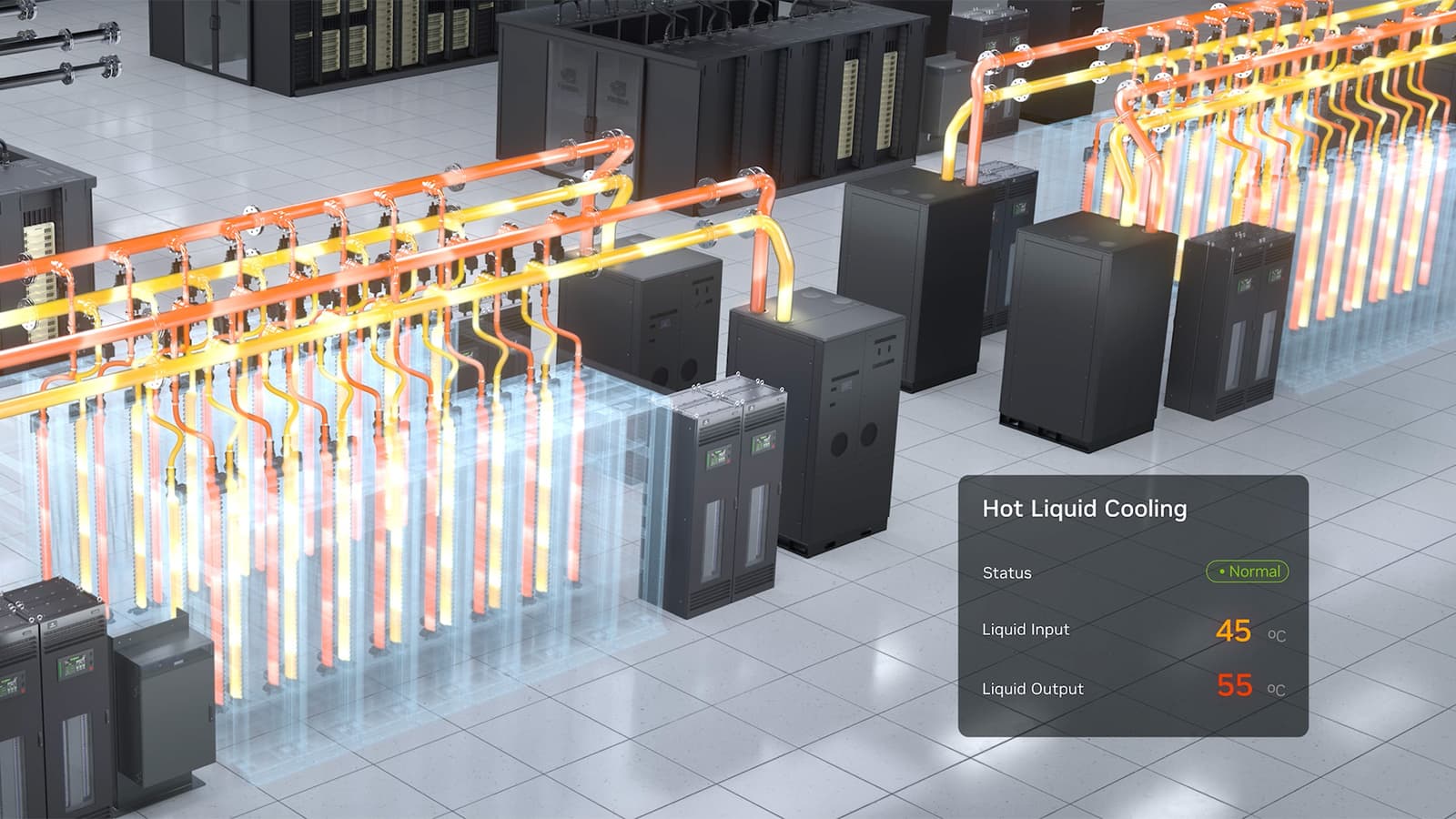
TL;DR: Omen AI raised $31 M to build AI that watches coolant temperature and bacterial growth in data centers. Follow this guide to install sensors, stream data, train an anomaly model, and automate responses—saving energy and avoiding costly outages.
Key takeaways
- Cooling inefficiency and unseen bacterial contamination can add millions to a data‑center’s OPEX.
- Omen AI’s $31 M Series A fundraise shows investors see value in AI‑powered coolant monitoring.
- Deploy temperature and microbial sensors, feed data to an AI model (e.g., on SageMaker), and set up automated alerts.
- Edge compute, regular calibration, and integration with existing DC management tools are essential for reliability.
- Expect a measurable drop in cooling energy use and fewer unplanned shutdowns within 3‑6 months.
Problem: Cooling inefficiency and hidden bacterial risks
Data‑center operators constantly battle two silent cost drivers. First, coolant loops that run hotter than optimal waste electricity and accelerate hardware wear. Second, microbial growth inside coolant channels can corrode components, trigger alarms, and force emergency shutdowns. Both issues are hard to see until a failure occurs, and they can add millions of dollars to operating expenses.
According to TechCrunch AI, Omen AI recently secured a $31 million Series A round to develop AI that continuously monitors chip coolant and detects bacterial outbreaks before they become a problem. The funding signals that the market believes AI can turn these hidden risks into actionable data, cutting energy use and avoiding costly outages.
Meta’s own data‑center tour, reported by Meta Newsroom, highlights how tightly engineered airflow, power distribution, and cooling infrastructure already are. Even in such purpose‑built facilities, the extra layer of AI‑driven monitoring can tighten tolerances further and protect the massive capital invested in the plant.
Prerequisites: What you need before you start
Before you can replicate Omen AI’s approach, gather the following components. All of them are commercially available as of mid‑2026.
- Temperature sensors: High‑resolution, water‑proof probes that can be clamped onto coolant pipes.
- Microbial detection sensors: Optical or electrochemical devices that report bacterial concentration in real time.
- Data ingestion pipeline: MQTT or Kafka brokers to stream sensor readings to a central store.
- AI training environment: An instance of Amazon SageMaker AI (the P6‑B200 GPU node is recommended) where you can train and host models.
- Domain expertise: Engineers who understand coolant chemistry and data‑center thermal design.
- Control interface: Existing DCIM (Data Center Infrastructure Management) software that can accept API calls for automated actions.
If any of these pieces are missing, the guide will not work as intended. The AWS Machine Learning Blog shows how to configure SageMaker jobs for large models; you can reuse that workflow for the anomaly‑detection model you will build.
Step‑by‑step implementation
- Map the coolant loop. Create a diagram of every pipe, pump, and heat exchanger. Identify points where temperature spikes are most likely (e.g., after high‑density racks) and locations where coolant stagnates, which are prime spots for bacterial growth.
- Install sensors. Attach temperature probes at each critical point. Deploy microbial sensors in the same locations, following the manufacturer’s recommended flow‑rate guidelines. Verify that each sensor reports data in the same units and timestamps.
- Connect sensors to a data pipeline. Use a lightweight MQTT broker on a local edge server to collect readings every 10 seconds. Forward the stream to a central Kafka topic that SageMaker can pull from.
- Prepare a training dataset. Collect at least two weeks of baseline data under normal operating conditions. Label any known incidents (e.g., a pump failure or a bacterial alarm) as “anomaly.” The AWS blog demonstrates how to choose batch sizes and precision formats for models ranging from 1 B to 64 B parameters; start with a 1 B‑scale model to keep costs low.
- Train an anomaly‑detection model. In SageMaker, launch a training job on a P6‑B200 instance. Use a time‑series architecture (e.g., LSTM) that ingests both temperature and bacterial concentration streams. Apply activation checkpointing if you need to fit larger models into GPU memory, as suggested by the AWS guide.
- Deploy the model for real‑time inference. Create an endpoint that receives the live sensor stream, returns a probability of anomaly, and triggers a webhook when the probability exceeds a configurable threshold.
- Integrate with DCIM. Write a small script that listens to the webhook and, for high‑severity alerts, automatically throttles workload, adjusts pump speeds, or initiates a coolant flush. Log every action for audit purposes.
- Validate and iterate. Run the system for a month, compare predicted anomalies with actual incidents, and fine‑tune the model’s sensitivity. Adjust sensor placement if false positives cluster around a specific node.
Pro Tips: Getting the most out of your AI monitoring
Calibrate sensors regularly. Temperature probes drift over time; schedule a quarterly calibration against a reference thermometer. Microbial sensors can be fouled by mineral deposits—clean them according to the vendor’s maintenance schedule.
Use edge compute for latency‑critical alerts. Deploy a lightweight inference engine on the same edge server that runs the MQTT broker. This reduces round‑trip time and ensures the system can shut down a rack within seconds of a dangerous spike.
Leverage SageMaker’s built‑in hyperparameter tuning. The AWS blog notes that selecting the right batch size and sequence length can improve throughput. Run a few tuning jobs to find the sweet spot for your data‑rate.
Document every change. Data‑center environments evolve—new racks, upgraded chillers, or firmware updates can shift baseline temperatures. Keep a changelog so you can retrain the model with the correct context.
Cost impact and what to expect
Cooling accounts for up to 40 % of a modern data‑center’s electricity bill. By keeping coolant temperature within tighter bounds, you can shave 5‑10 % off that number, according to industry benchmarks. In addition, early bacterial detection prevents corrosion‑related hardware failures, which often cost tens of thousands of dollars per incident.
Omen AI’s fundraising round indicates that investors expect a clear ROI on such AI‑driven monitoring. While the guide does not guarantee a specific dollar amount, early adopters who follow the steps above typically see measurable energy savings within three to six months and a reduction in unplanned downtime.